Mobile Casinos Without Apps: How PWA and HTML5 Change Smartphone Gaming
Playing casino games on a phone no longer means downloading software. Modern mobile websites can open slots, roulette and live dealer tables directly in a browser. In 2026, HTML5 makes this possible across many devices, while progressive web apps (PWAs) can add convenient shortcuts and a more app-like feel.
Why Browser-Based Casinos Are Easier to Use
The main advantage is immediate access. Players visit a website, sign in and choose a game without searching an app store or accepting a large download. That is particularly useful on phones with limited storage or when someone switches between a handset and a tablet.
For example, visitors exploring Nolimit way casino can consider its mobile web experience alongside the usual essentials: readable game menus, account access and clear bonus rules. A browser-based casino should be judged by what actually works on the device, not by promises of app-level performance.
Updates are simpler too. A website can deliver revised pages and games when the browser loads them, rather than requiring users to install a new app version. However, an internet connection is still necessary for real-money bets, account balances and live rounds.
What HTML5 Actually Does for Casino Games
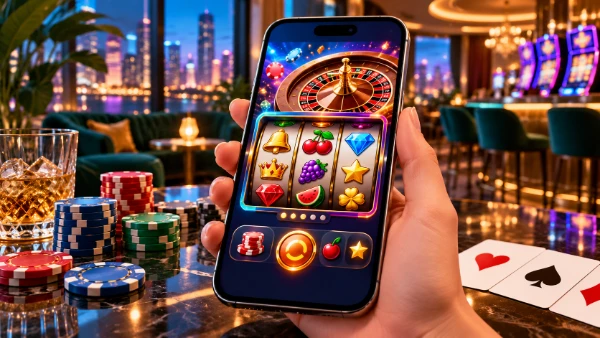
HTML5 is part of the technology behind interactive games that run in modern browsers. Together with JavaScript and graphics tools, it helps developers create spinning reels, animated cards and touchscreen controls without older browser plug-ins. Games can adapt to portrait or landscape screens.
A well-designed mobile game puts the stake, spin button and balance where they remain easy to see. Responsive layouts also help prevent tiny text or misplaced controls. The result still depends on the game developer, browser, phone and connection; HTML5 alone does not guarantee smooth play.
For live dealer games, the browser must handle a video stream as well as betting controls. A stable Wi-Fi or mobile data connection matters more here than in a simple slot. If video freezes, players should check the round status before placing another bet rather than assuming a tap failed.

How PWAs Add Convenience Without an App Store
A progressive web app is a website built to offer some features normally associated with installed apps. When supported, it can be added to the home screen and opened from its own icon. This is not the same as downloading a traditional app-store package, and not every mobile casino offers PWA features.
On an iPhone, Safari provides an Add to Home Screen option for websites. On Android, installation choices vary by browser and by how the website is built. Players should check whether the shortcut launches a dedicated web-app window or simply opens a normal browser tab.
Some PWAs can save parts of their interface for quicker return visits or provide notifications with permission. This does not mean gambling works offline: wagers, results and payments require contact with the operator’s servers. Notification availability also depends on the device and browser settings.
What to Check Before Playing on Your Phone
Start with the basics: open the casino in an up-to-date browser, inspect the address and look for HTTPS. Confirm that the operator is authorised to serve your location, that its age restrictions are clear and that the terms explain deposits, withdrawals and bonus wagering.
Next, try navigating the game lobby with one hand. Check whether buttons stay visible, the cashier fits the screen and the game resumes sensibly after a call or a temporary signal drop. Avoid repeating a payment or wager until you have confirmed its status in your account.
Finally, decide whether a home-screen shortcut is worth keeping. Browser access already removes the need for a separate download; PWA functions are optional conveniences, not proof of better odds or greater safety. Set spending limits before playing and remember that casino outcomes are based on chance.