Why Your Smartphone Overheats During Gaming: Thermal Throttling, FPS Drops and Performance Testing in 2026
A smartphone that runs a demanding game smoothly for the first ten minutes may start struggling halfway through a longer session. The device becomes noticeably warmer, animations lose their smoothness, and the frame rate can fall even though the graphics settings have not changed. This behaviour is often caused by thermal throttling, a protective mechanism that reduces processing performance when internal temperatures rise. In 2026, powerful mobile processors, advanced graphics and high-refresh-rate displays make temperature management particularly important. Understanding why smartphones generate heat, how overheating affects frames per second (FPS), and which tests reveal performance problems can help users distinguish normal gaming temperatures from genuine hardware limitations.
Why Smartphones Heat Up During Gaming
Mobile games place considerable demands on several smartphone components simultaneously. The central processing unit (CPU) manages gameplay calculations, character behaviour and background processes, while the graphics processing unit (GPU) renders environments, lighting, shadows and visual effects. Modern titles such as Genshin Impact, PUBG Mobile and Call of Duty: Mobile can keep these components working intensively for extended periods. As processors consume electricity, some of that energy becomes heat. The harder the components work, the more heat the phone needs to release. A warm casing is therefore not necessarily a sign of a fault. It often indicates that the device is transferring heat away from its internal components.
Unlike gaming computers, smartphones have very limited room for cooling equipment. Most rely on passive cooling, which transfers heat through internal materials, metal frames, graphite layers or vapour chambers towards the exterior. Vapour chambers are increasingly used in performance-oriented smartphones because they help distribute heat across a larger area, but they do not eliminate it. The temperature of the surrounding air, the phone’s construction and the efficiency of its cooling design all affect the results. Two devices using similarly powerful processors can consequently behave differently during the same game. One may maintain a stable frame rate throughout a long session, while another reduces performance after its internal temperature reaches a certain threshold.
Screen brightness, mobile connectivity and charging can increase the amount of heat generated during gameplay. A bright display requires additional power, while mobile data connections may consume more energy when reception is poor. Charging also generates heat, particularly when a phone is simultaneously running a demanding game. Wireless charging can introduce further thermal losses depending on the charger and alignment. Background activities, including app updates, file synchronisation and video recording, may add to the workload. Even a thick protective case can influence how quickly heat escapes from the casing. These factors explain why the same game may run comfortably indoors but cause noticeable overheating when played outdoors in warm weather.
What Thermal Throttling Means for Gaming Performance
Thermal throttling is the automatic reduction of hardware performance when a device approaches its temperature limits. Smartphones monitor thermal conditions and adjust the power available to components such as the CPU and GPU. Rather than allowing temperatures to rise indefinitely, the operating system and the device’s hardware management systems limit processing activity. This reduces electricity consumption and slows further heat accumulation. Thermal throttling is a normal protective function, not evidence that a processor is defective. Both Android and iOS use temperature management to protect internal components, although the precise thresholds and responses vary between manufacturers, individual models and operating system versions.
The effects become apparent when a demanding game needs more processing power than the smartphone can sustainably provide. A device might initially render a game at approximately 60 FPS but later fluctuate between 40 and 50 FPS as temperatures increase. These figures illustrate a possible situation rather than a universal result: actual frame rates depend on the handset, game version and graphics settings. Some games respond to thermal pressure by reducing rendering resolution or visual detail, while others show more obvious stuttering. In certain situations, the display may dim automatically or charging may slow down. Apple’s temperature management guidance specifically identifies reduced frame rates and increased processing times as possible responses to excessive internal heat.
The difference between short-term and sustained performance is particularly important when assessing smartphones in 2026. A processor can briefly operate at high speeds to load an environment or render a demanding scene, but maintaining those speeds continuously requires effective cooling. A smartphone that achieves an impressive benchmark score during a short test may not deliver the same performance after twenty or thirty minutes of gaming. This is why peak processing power alone cannot determine whether a handset is suitable for extended sessions. Consistent frame delivery, manageable heat and the ability to maintain performance over time are often more useful indicators of practical gaming quality.
How Overheating Causes FPS Drops and Gaming Lag
Frames per second describe how many individual images a game produces every second. At 30 FPS, a new frame is generated approximately every 33.3 milliseconds, while 60 FPS requires a new frame roughly every 16.7 milliseconds. A game running at 120 FPS has an even tighter interval of approximately 8.3 milliseconds. Higher frame rates can make movement feel smoother and controls more responsive, provided the display supports the required refresh rate and the game can deliver frames consistently. However, a smartphone displaying 120 Hz does not automatically render every game at 120 FPS. Game-specific limits, processor capabilities, graphics settings and thermal conditions all influence the actual result.
When thermal throttling reduces processing power, the CPU or GPU may struggle to complete frames within the required time. A game targeting 60 FPS might occasionally need 25 or 30 milliseconds to produce an image instead of the expected 16.7 milliseconds. These delays create uneven frame delivery, which players experience as stuttering, hesitation or inconsistent animation. Average FPS can conceal these problems because a game may maintain a reasonable overall average while suffering frequent short interruptions. For example, a session averaging 55 FPS could feel less consistent than one maintaining a steady 45 FPS if individual frames regularly take much longer to appear. Smooth gameplay depends on predictable frame timing as well as the reported frame rate.
Not every FPS drop is caused by overheating. A complicated battle, a newly loaded area or an unusually demanding visual effect can reduce performance even when the smartphone is cool. Background applications, insufficient available memory, software bugs and poorly optimised game updates may also contribute. Network problems are another common source of confusion: online games can display delayed player movements or slow responses when latency increases, even while the graphics run at a stable frame rate. To distinguish these causes, pay attention to when performance deteriorates. A repeated decline after fifteen minutes of otherwise identical gameplay suggests a possible thermal limitation, whereas sudden problems in specific scenes may indicate an issue with the game’s workload or optimisation.
How to Recognise Thermal Throttling on Android and iPhone
One of the clearest signs of thermal throttling is a gradual decline in performance as the device becomes warmer. A game might run smoothly immediately after launch, start dropping frames after several minutes and recover some of its original performance after the smartphone has cooled down. This pattern is more informative than the temperature of the casing alone. Different manufacturers position internal components and temperature sensors differently, so an uncomfortable surface temperature does not provide a precise measurement of processor heat. Similarly, a phone that feels relatively cool may already be limiting performance. The relationship between external warmth and internal thermal conditions is not identical across devices.
Android smartphones may provide gaming tools that display real-time frame rates, performance modes or other useful information. Google’s Game Dashboard, available on compatible Pixel devices and implemented differently by some other manufacturers, includes an FPS counter that can help identify sustained reductions. Samsung, ASUS and other manufacturers may provide their own gaming utilities, although available measurements vary by model and software version. On iPhone, iOS does not provide a universal built-in FPS counter for all games. Users generally need supported in-game statistics or suitable developer-oriented testing tools to obtain detailed measurements. Regardless of operating system, an FPS reading becomes more useful when compared with observations made at the beginning and end of the same gaming session.
Temperature warnings provide stronger evidence that a smartphone has reached a significant thermal limit. According to Apple’s device guidance, excessive internal heat can cause an iPhone to reduce performance, dim its display, limit charging or temporarily restrict certain functions. Android devices can also introduce thermal restrictions, with their exact behaviour determined by the manufacturer and operating system. However, many phones begin reducing performance before displaying an explicit warning. If a device repeatedly becomes extremely hot, shuts down unexpectedly or displays temperature alerts during ordinary use, stop the activity and allow it to cool naturally. Persistent overheating outside demanding games deserves further investigation rather than repeated stress testing.
How to Test Smartphone Gaming Performance in 2026
A useful gaming performance test should measure how a smartphone behaves over time rather than relying on a single benchmark result. Start with the device at a comfortable room temperature, disconnect the charger and choose a game that can be played in a repeatable way. Keep screen brightness, graphics quality, frame-rate limits and connectivity settings consistent between tests. Record the FPS during the first few minutes and compare it with readings after approximately fifteen, twenty and thirty minutes. If a built-in FPS counter is unavailable, use a supported performance monitoring tool or observe repeatable changes in animation and responsiveness. The objective is to determine whether performance remains stable as the device warms up.
Benchmarks can complement real-world gaming tests by applying a consistent graphics workload. UL Solutions’ 3DMark includes mobile graphics tests designed to compare compatible devices, while its Solar Bay Stress Test is intended to show how graphics performance changes during an extended workload. The test runs repeated graphics sequences for approximately twenty minutes and presents the results across the session. A noticeable decline between early and later runs can indicate that the smartphone cannot sustain its initial performance under that particular load. However, benchmark results should not be interpreted as exact predictions of FPS in every game. Different games place different demands on processors, memory, cooling systems and graphics features.
When comparing results, distinguish peak performance from stability. A smartphone might achieve a high score during the first benchmark run but experience a considerable reduction as testing continues. Another handset could begin with a slightly lower score yet maintain more consistent results throughout the session. The second device may offer a smoother experience during prolonged gaming, depending on the game and target frame rate. Test conditions matter as much as the final numbers: a room with a high ambient temperature, an active charger or a recent gaming session can alter the outcome. Allow the smartphone to cool between comparisons, and avoid relying on a single run to judge whether a performance problem is persistent.
Practical Ways to Reduce Heat and Maintain Stable FPS
Reducing the graphics workload is often the most effective way to improve sustained gaming performance. Lowering rendering quality, shadow detail or visual effects can reduce the amount of work required from the GPU. Limiting a game to 60 FPS rather than attempting 90 or 120 FPS may also help the smartphone maintain more predictable temperatures. On devices that cannot sustain 60 FPS, a stable 30 FPS setting may provide a better experience than a higher target accompanied by frequent drops. The appropriate compromise depends on the game: competitive titles often benefit from responsive controls, while visually demanding single-player games may remain enjoyable at a lower but consistent frame rate.
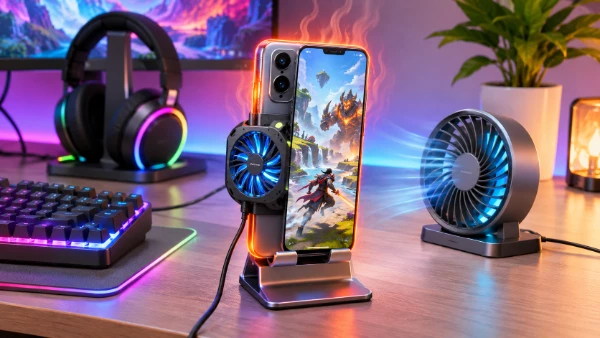
Environmental changes can also make a practical difference. Play in a well-ventilated room, keep the device away from direct sunlight and avoid charging during demanding games whenever battery capacity allows. Reducing excessive screen brightness can lower power consumption, while removing a thick case may improve heat transfer on some models. Closing unnecessary background activities can help if they are genuinely consuming processing resources, although repeatedly force-closing every application is usually unnecessary. External phone coolers may improve sustained performance on compatible devices, but their effectiveness varies with contact area, cooling design and ambient humidity. Avoid refrigerators, freezers, ice packs and direct contact with very cold surfaces, as condensation and sudden temperature changes can create additional risks.
Software maintenance is equally important. Keep the operating system and games updated, particularly when developers release fixes for performance or excessive battery consumption. Check whether a game has introduced new graphics settings or changed its frame-rate options following an update. If overheating begins suddenly after a software change, compare behaviour in other demanding games before assuming the hardware has deteriorated. Persistent heat accompanied by unusual battery drain, charging interruptions or unexpected shutdowns may justify a battery and hardware assessment through an authorised service provider. For ordinary gaming, the most useful approach is to find a combination of graphics quality, frame rate and playing conditions that the smartphone can sustain comfortably. Reliable performance over a complete session matters more than a brief period at the highest possible FPS.